The First AI Command Key
Keyboard is for typing. Mouse is for pointing.
WisKey is for commanding AI.
A physical interface for voice, intent, confirmation, modification, and AI‑native work. Hold, speak, confirm, modify, and let AI handle the rest.
WisKey One is the first device built around the WisKey AI Command Key Standard.
Voice is not the product. Intent is.
AI changed work. Input devices didn’t.
For decades, keyboards helped us type and mice helped us point. But AI‑native work is different. We no longer just enter characters or click objects — we express intent, refine outputs, confirm results, and trigger intelligent actions.
AI needs a new physical input layer. WisKey is that layer.
Hold. Speak. Confirm.
The whole interaction is three physical moves. No app to open, no window to find — just your hand and one key.
Hold
Press and hold WisKey to start an AI input action.
Speak
Say your messy thought, instruction, or command.
Confirm
Paste, modify, send, retry, or cancel with one physical gesture.
Voice input is powerful. Starting it is still awkward.
AI models are powerful and speech recognition already works. Voice still isn’t mainstream because of three human barriers — not technical ones.
You don’t always want to speak openly
In shared rooms, open offices, and public spaces, talking your work out loud isn’t an option. Input has to feel discreet and in your control.
Talking to a computer still feels awkward
Speaking to your laptop in an office, café, or meeting room carries social cost. The act of starting is the real barrier — not the recognition.
Nobody thinks in perfect sentences
Traditional dictation expects clean, fully‑formed speech. That’s not how people think. WisKey lets you speak roughly and lets AI compose.
WisKey reduces these barriers by making AI input physical, intentional, and controlled.
Every input device was built for the old work.
Each existing device solves one part of the job. None were designed to command AI end to end.
Not just shortcuts. A new interaction layer for AI.
WisKey understands context. The same key can mean dictate, confirm, modify, cancel, retry, paste, or send — depending on the current AI workflow state.
Idle
No AI action in progress. WisKey waits, quiet and out of the way.
Shortcuts trigger commands. WisKey controls AI states.
Toward the AI Command Key Standard
The keyboard standardized typing. The mouse standardized pointing. AI needs a physical standard for voice, intent, confirmation, modification, and action.
WisKey One is the first device built around the WisKey AI Command Key Standard — an emerging, state‑aware interaction model for AI‑native work.
The same physical key can mean capture, confirm, modify, cancel, retry, paste, or send — depending on the AI workflow state. The standard isn’t about how many buttons there are. It’s about what each press means in context.
WisKey is not a button.
It is a state‑aware AI interface.
The runtime behind the key
A shortcut pad just fires keystrokes. WisKey is split into two cooperating parts — and that’s what makes a single key mean the right thing every time.
WisKey hardware captures reliable physical input. WisKey Runtime runs on your computer and turns those input events into state‑aware AI actions.
The device sends clean events. The Runtime understands context. Your AI tools receive the right command at the right moment.
The device runs firmware. The computer runs the Runtime.
Reliable buttons, Bluetooth, battery, and LED feedback. The device sends clean, precise input events — nothing more.
The state engine. It maps presses to actions, talks to your apps, handles the clipboard, and syncs the light feedback. This is the part that understands context.
Wispr Flow, ChatGPT, Claude, Cursor, Granola, Notion, Slack, Gmail, and more receive the right command at the right moment.
Meet WisKey One
The first device built around the WisKey AI Command Key Standard — and the easiest way to make AI input a physical habit.
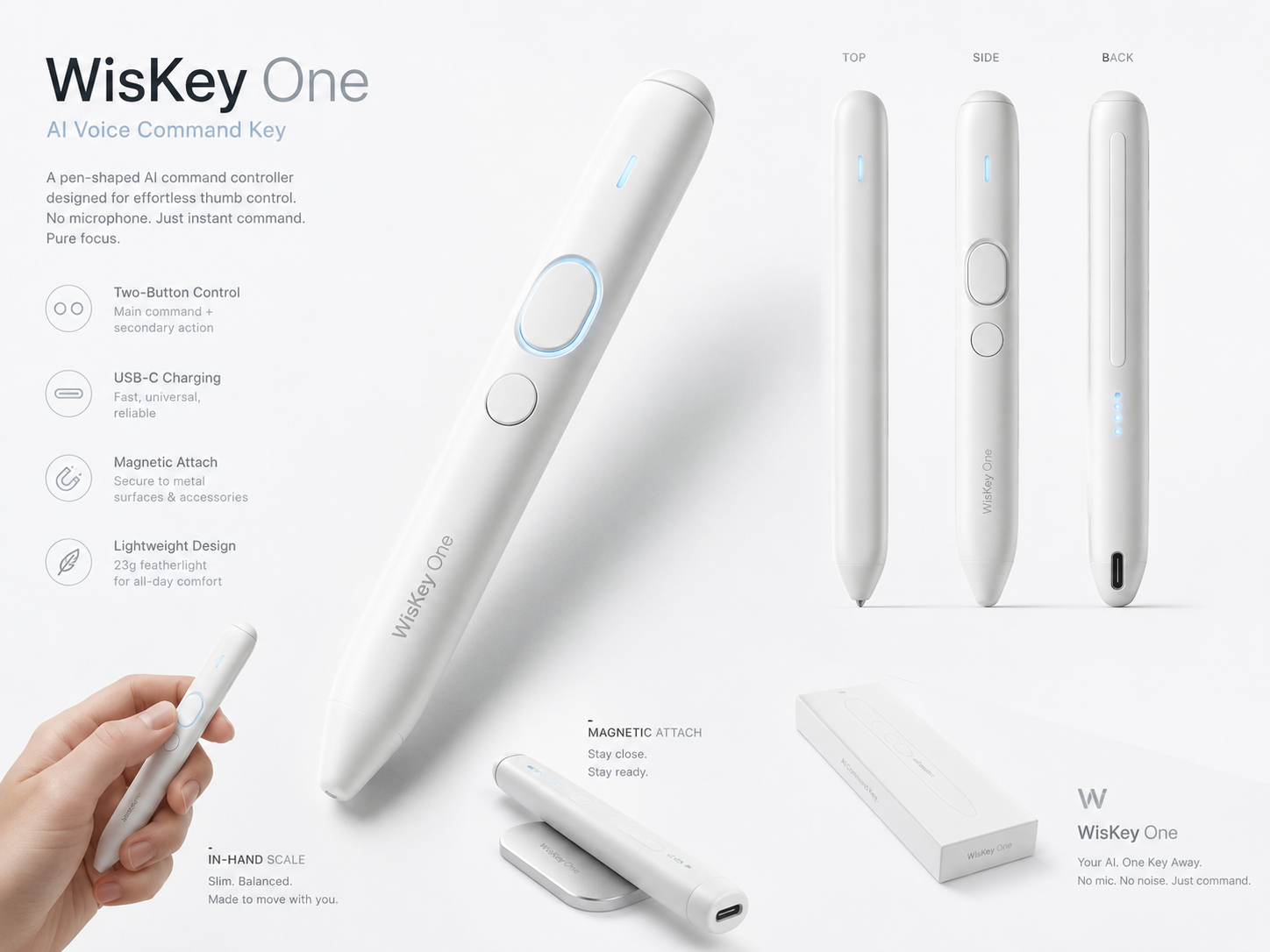
WisKey One
The first AI Command Key for your computer.
No microphone. Two physical keys. Bluetooth HID. Built for your existing computer, headset, or external microphone setup.
- No microphone — uses your computer, headset, or external mic
- Two physical keys — main command + secondary action
- Bluetooth HID — works out of the box
- Push‑to‑talk and hands‑free mode
- Command mode and transform shortcuts
- Confirm, modify, cancel, and paste
- 23g featherlight · USB‑C · magnetic attach
- Lightweight and privacy‑friendly
Your AI. One key away.
Join Early AccessWisKey Air
A future AI Command Key with a dedicated voice channel.
Built‑in microphone for people who want a dedicated AI voice input device. Same state‑aware interaction model as WisKey One.
Notify meOne key. Many AI workflows.
The same physical gesture adapts to whatever you’re doing — across writing, communication, research, and meetings.
Designed for the tools you already use
WisKey is designed for AI workflows across writing, communication, research, coding, meetings, and productivity.
Built for AI workflows across these tools. WisKey is an independent product and is not affiliated with, endorsed by, or officially partnered with any of the companies listed.
Build with the WisKey Standard
We are developing a state‑aware interaction standard for AI‑native input devices and software workflows.
If you are building AI tools, voice input software, productivity apps, keyboards, microphones, or new AI peripherals, join the early partner program and help shape it.
WisKey Certified is our future compatibility program for devices and software built around the AI Command Key interaction model — designed to be open and ecosystem‑friendly.
Join the first wave of AI Command Key users.
Be among the first to test WisKey One before public release.